

If you're an operator or enthusiast of 9DVR systems, you might have encountered the frustrating issue where the 9DVR mobile app fails to connect to the device. As a 9DVR supplier, I understand how crucial it is to have a seamless connection between the app and the device for an immersive virtual reality experience. In this blog, I'll share some common causes and effective solutions to help you troubleshoot this problem.
Common Causes of Connection Issues
1. Network Problems
One of the most common reasons for the 9DVR mobile app not connecting to the device is a poor or unstable network. Both the mobile device running the app and the 9DVR device need to be connected to the same stable Wi - Fi network. If the Wi - Fi signal is weak, the connection may drop or fail to establish in the first place.
2. Software Compatibility
The 9DVR mobile app and the device's firmware need to be compatible. Outdated app versions or firmware on the device can lead to connection issues. Newer features or security patches in the app may not work well with an old device firmware, and vice versa.
3. Device Interference
There could be other electronic devices in the vicinity that are causing interference. For example, microwave ovens, cordless phones, or other Wi - Fi routers can disrupt the Wi - Fi signal between the mobile app and the 9DVR device.
4. Incorrect Settings
Incorrect settings on either the mobile app or the 9DVR device can prevent a successful connection. This includes incorrect Wi - Fi network settings, incorrect pairing codes, or misconfigured security settings.
Troubleshooting Steps
1. Check the Network
- Verify Wi - Fi Connection: Ensure that both the mobile device and the 9DVR device are connected to the same Wi - Fi network. You can check the Wi - Fi settings on your mobile device and the 9DVR device to confirm this.
- Test Network Speed: Use a speed test app on your mobile device to check the Wi - Fi speed. A slow or unstable network can cause connection problems. If the speed is low, try resetting your router or moving closer to the router to get a stronger signal.
2. Update Software
- App Update: Check if there is an updated version of the 9DVR mobile app available on the app store. Install the latest version, as it may contain bug fixes and improvements that can resolve the connection issue.
- Device Firmware Update: Check the manufacturer's website for any firmware updates for your 9DVR device. Follow the instructions provided to update the firmware. This can often solve compatibility issues.
3. Reduce Interference
- Move Devices: Move the 9DVR device and the mobile device away from other electronic devices that may be causing interference. Try to keep a distance of at least a few feet from microwave ovens, cordless phones, and other Wi - Fi routers.
- Change Wi - Fi Channel: If possible, change the Wi - Fi channel on your router. Some channels may be more congested than others, and switching to a less congested channel can improve the signal strength.
4. Check Settings
- Pairing Settings: Make sure that the pairing process between the mobile app and the 9DVR device is correct. Follow the instructions provided in the user manual to pair the two devices.
- Security Settings: Check the security settings on both the mobile device and the 9DVR device. Ensure that the security protocols are compatible and that there are no restrictions preventing the connection.
Advanced Troubleshooting
If the above steps do not solve the problem, you can try the following advanced troubleshooting methods:
1. Factory Reset
As a last resort, you can perform a factory reset on the 9DVR device. However, this should be done with caution as it will erase all the data and settings on the device. Before performing a factory reset, make sure to back up any important data.
2. Contact Technical Support
If you are still unable to connect the 9DVR mobile app to the device after trying all the above steps, it's time to contact our technical support team. Our experts have in - depth knowledge of the 9DVR systems and can provide you with more specific solutions based on your situation.

Promote Our Products
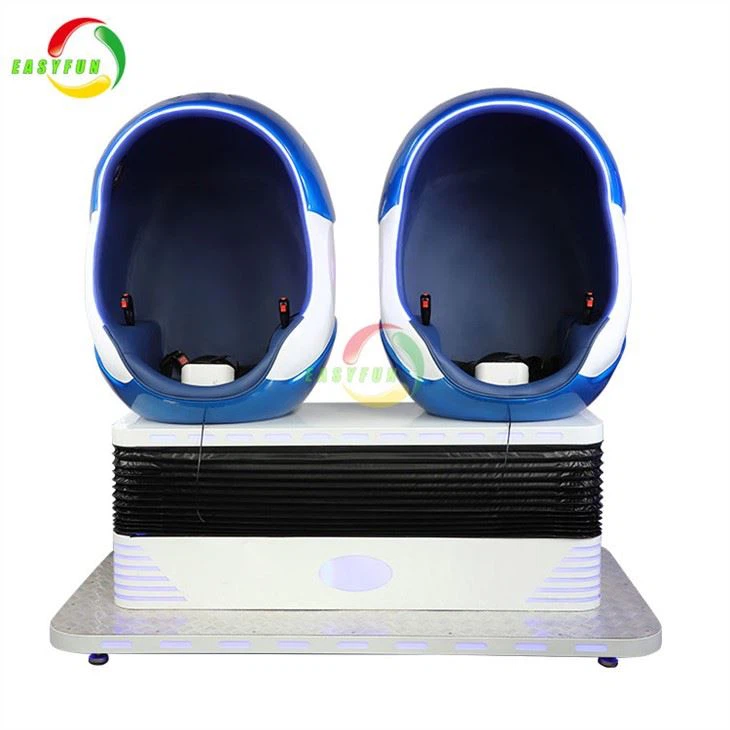
At our company, we offer a wide range of high - quality 9DVR products. One of our Hot Selling 9D VR Cinema Simulator Virtual Reality Egg Chair is a popular choice among customers. It provides an immersive virtual reality experience with advanced features and reliable performance.
If you're interested in purchasing our 9DVR products or have any questions about our products and services, please feel free to contact us. We are always ready to assist you in finding the best solution for your needs. Whether you're running an arcade, a theme park, or just looking to add some excitement to your home entertainment, our 9DVR systems are a great choice.
References
- 9DVR User Manuals
- Wi - Fi Network Troubleshooting Guides